Parking
Parking a Call on a Deskphone
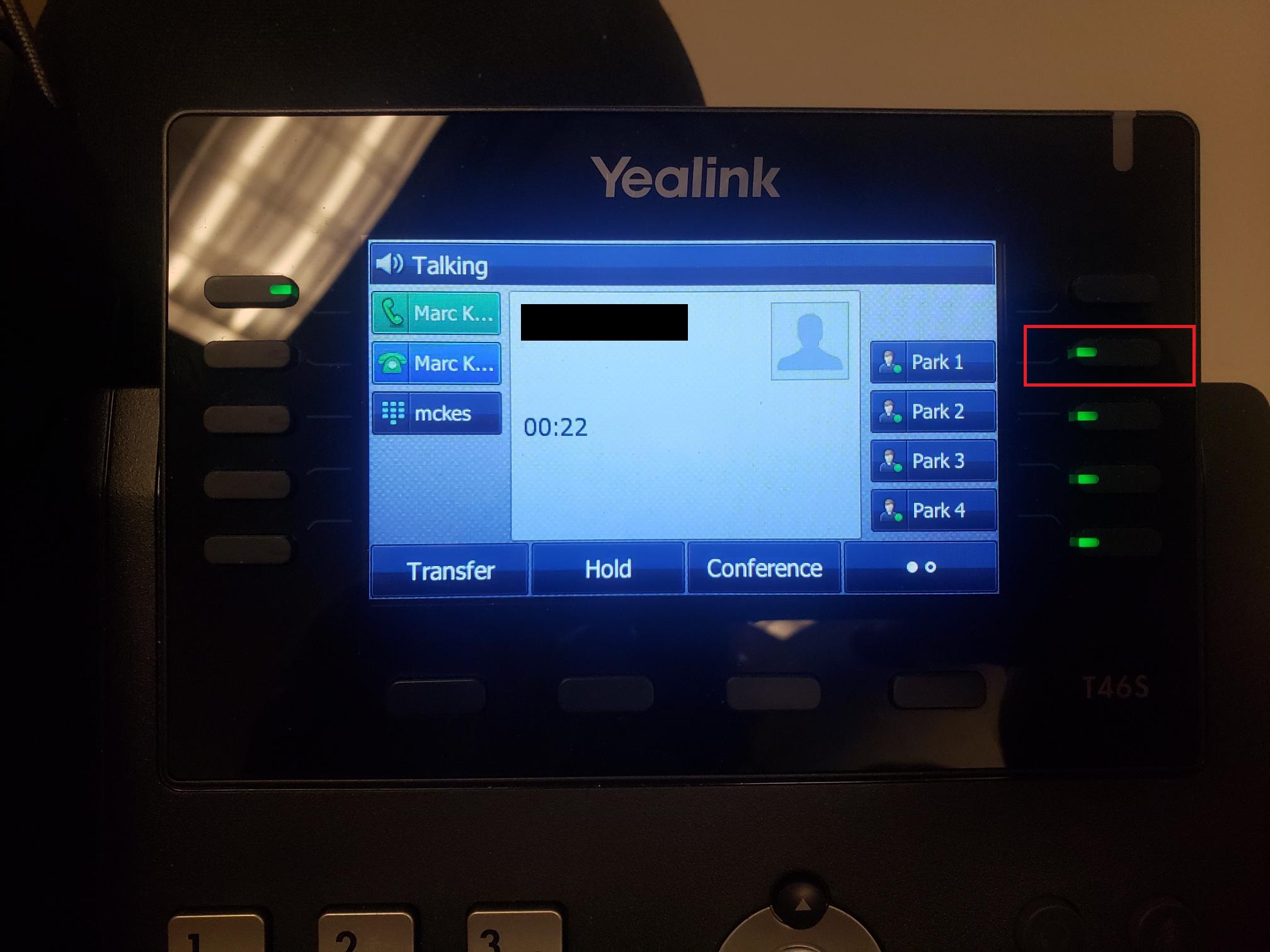
While on a call click on an unused park button that is green.
Picking up a Parked Call on a Deskphone
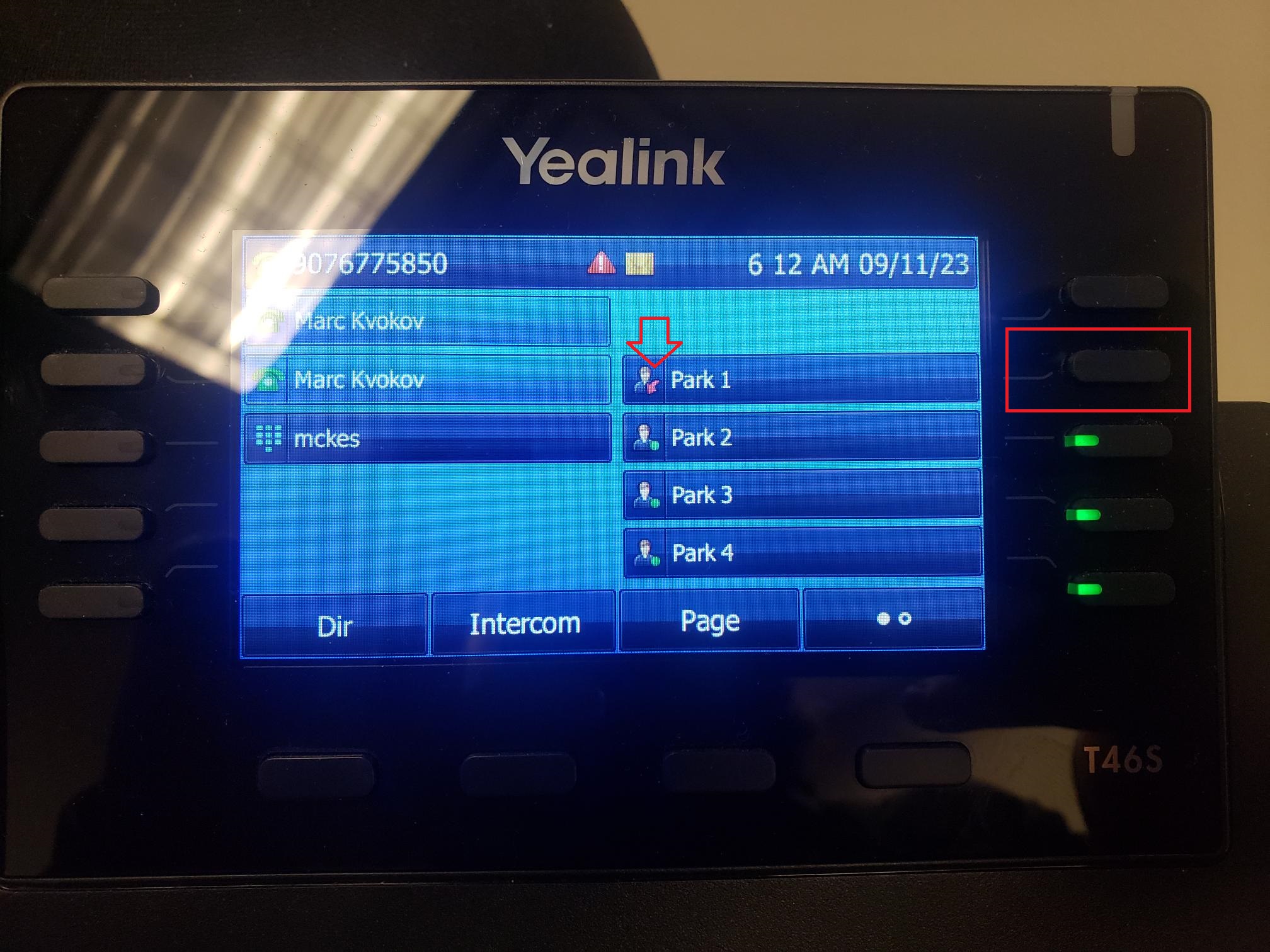
Press the coresponding button for the park to pick it up. If a call is parked the light on the button will flash red and the image next to Park X text will have a red arrow instead of a green circle.
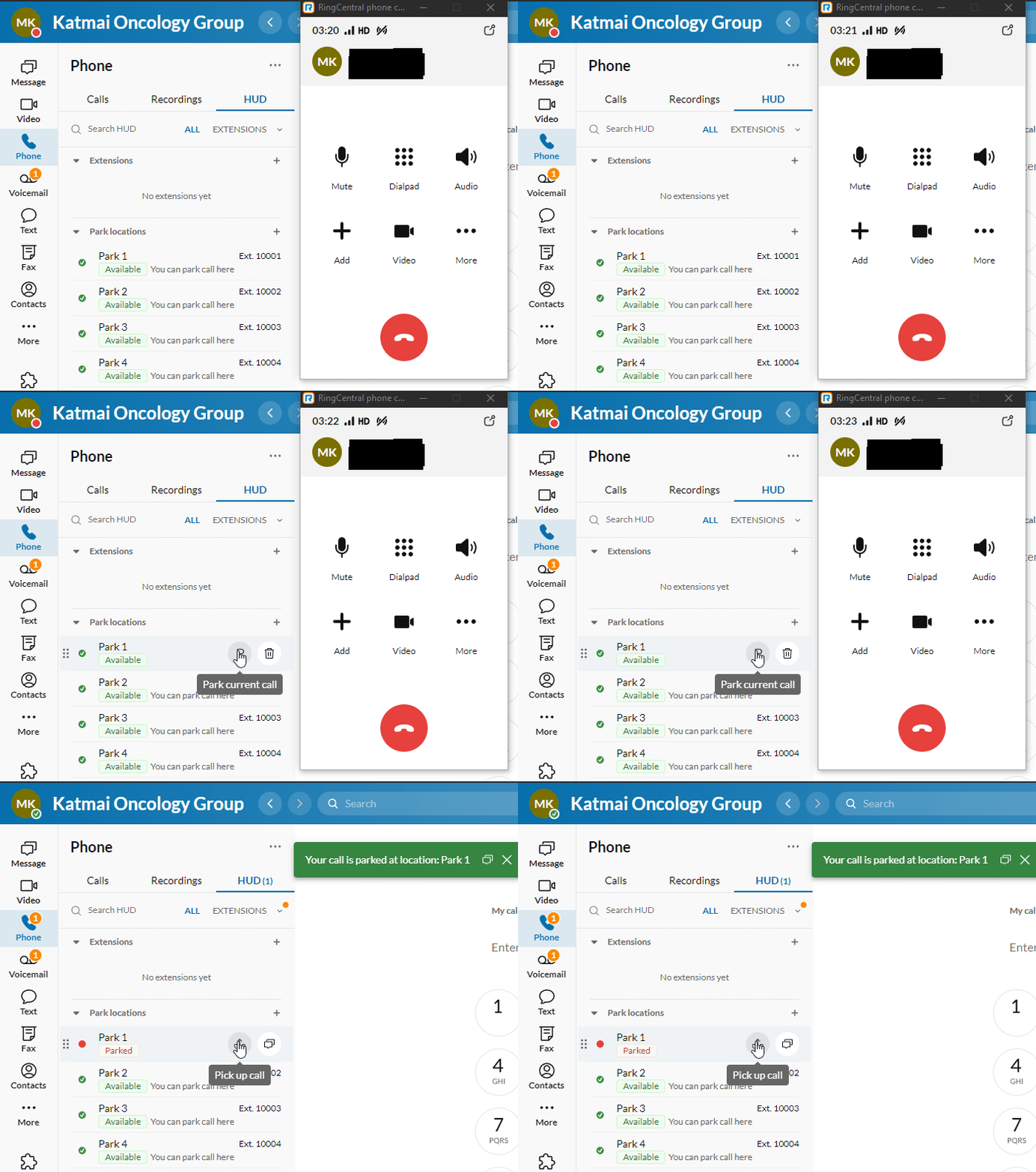
Parking a Call in App
There are two options to park a call from the RingCentral app.
Option 1:
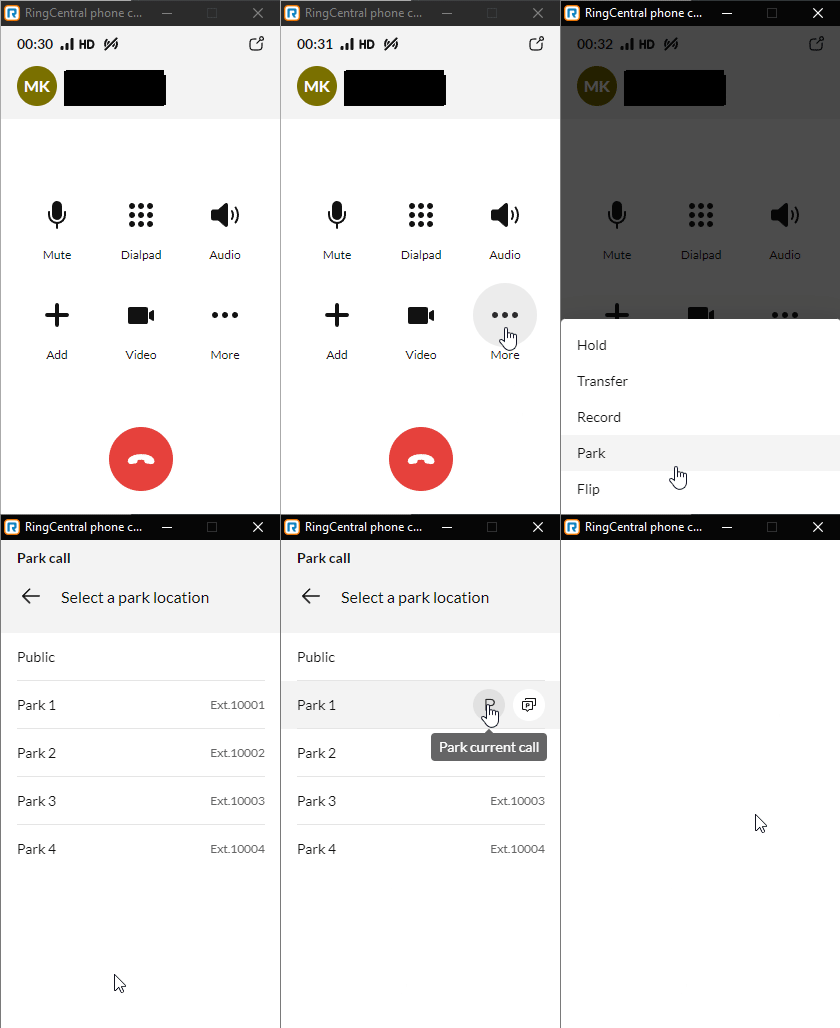
Option 2:
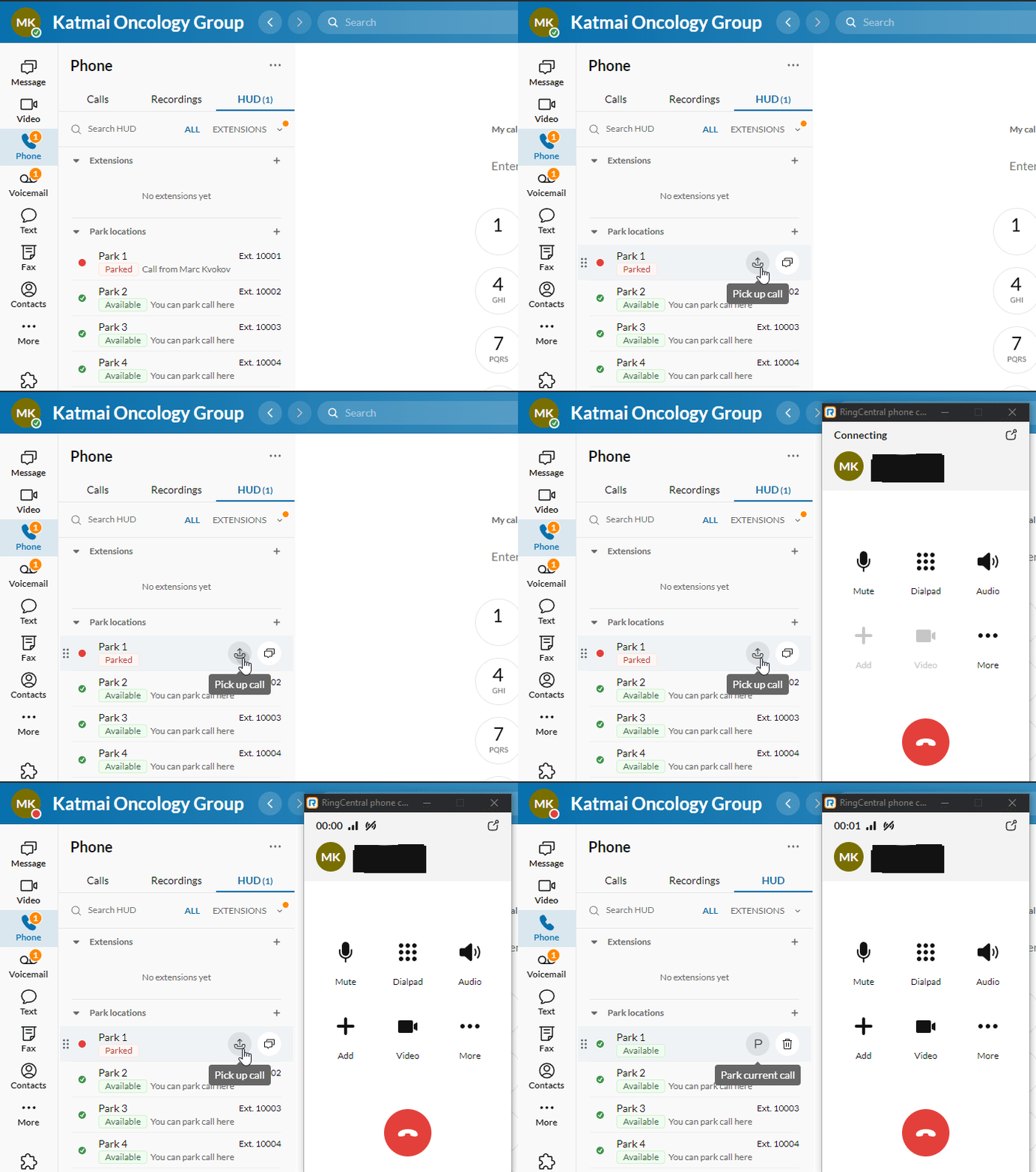
Picking up a Parked Call in App
To pick up a parked call: