IKnowMed Account Setup
How To Activate Account
-
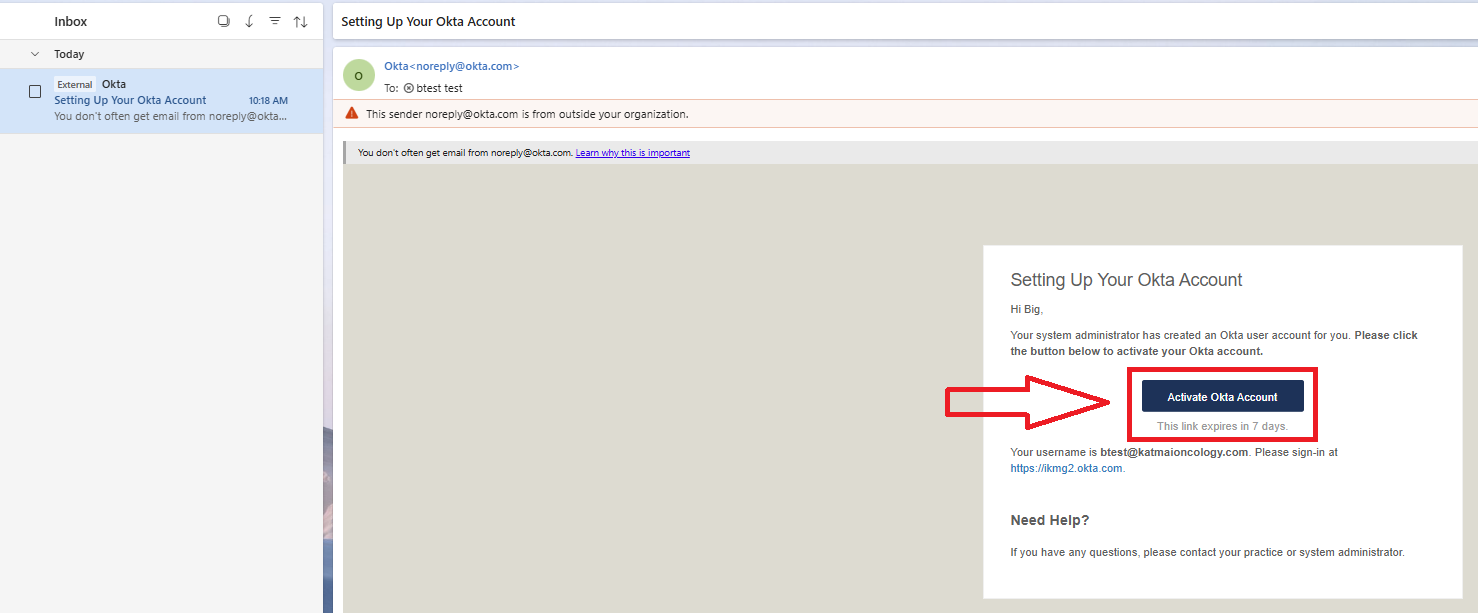
Look for email from noreply@okta.com and click "Activate Okta Account" button.
-
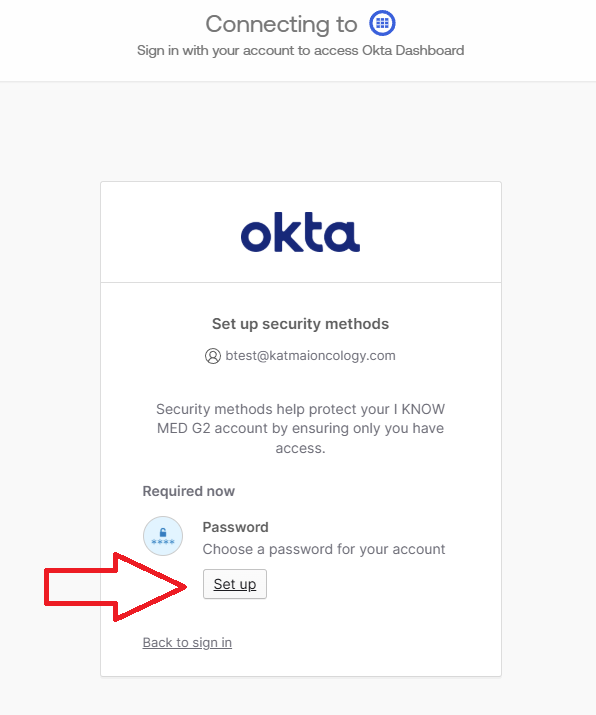
Click "Set up" under Password.
-
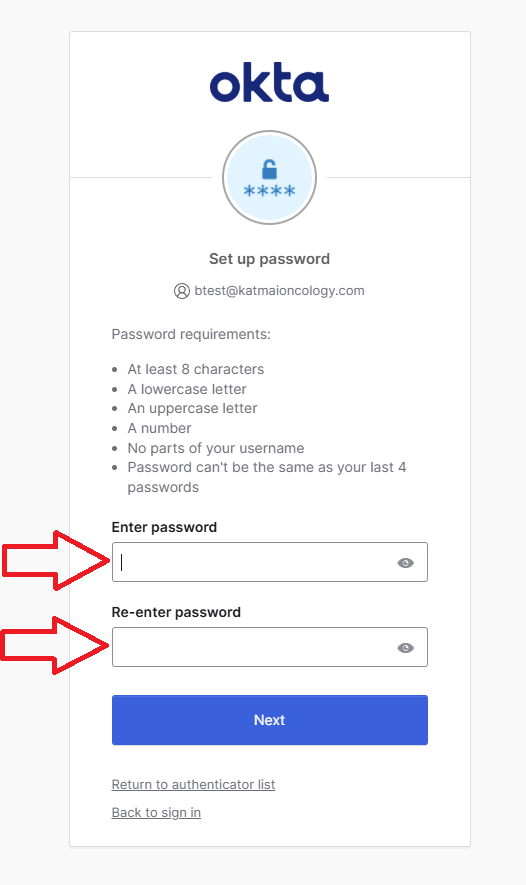
Enter and re-enter your desired password. Then click "Next".
-
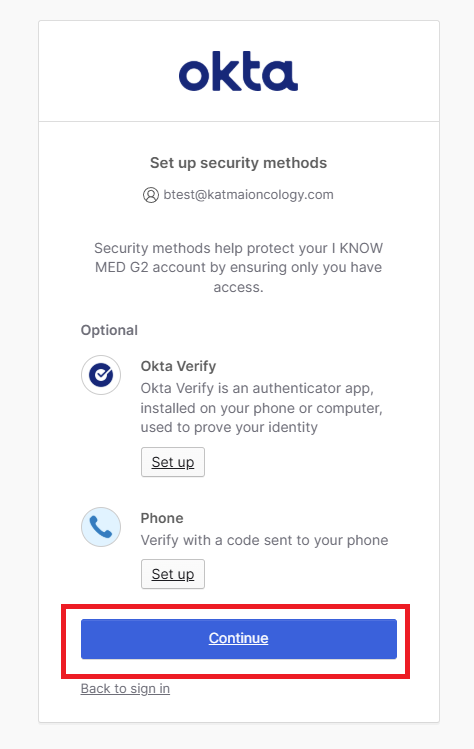
Click "Continue" to use email MFA which is already setup.
-
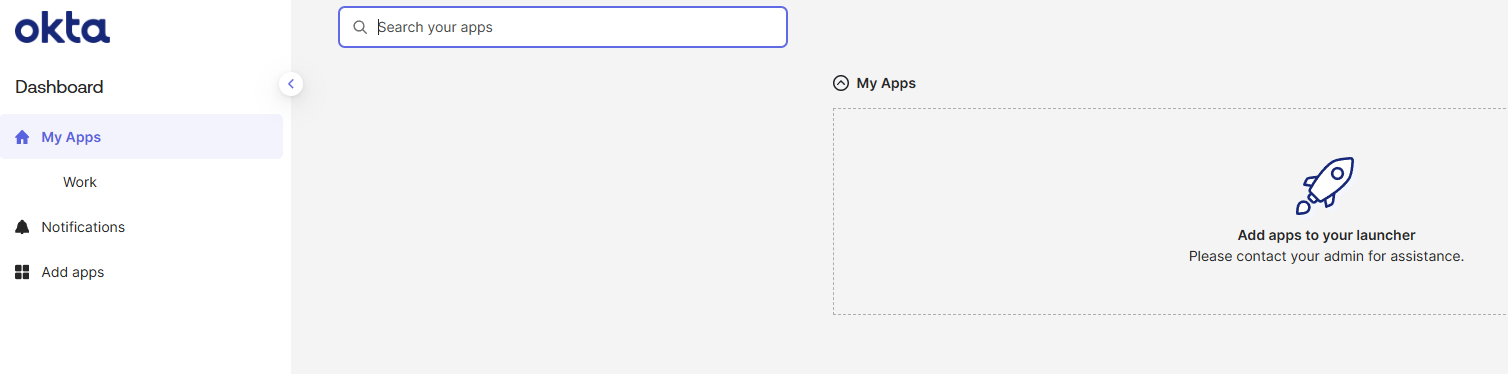
Setup is complete once you see the Okta dashboard
How To Login
-
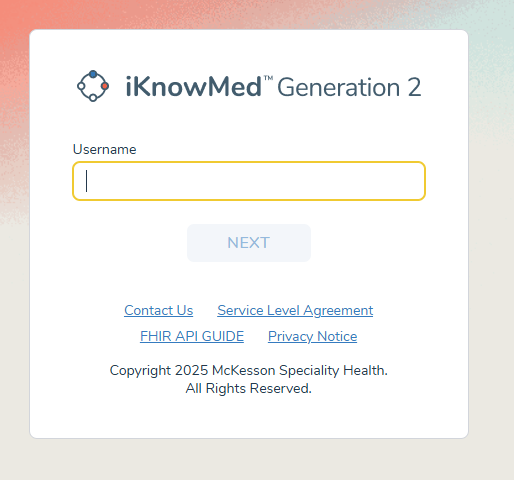
Go to https://ikm.ontada.com.
-
Enter your email and click "NEXT".
-
Click "NEXT" again.
-
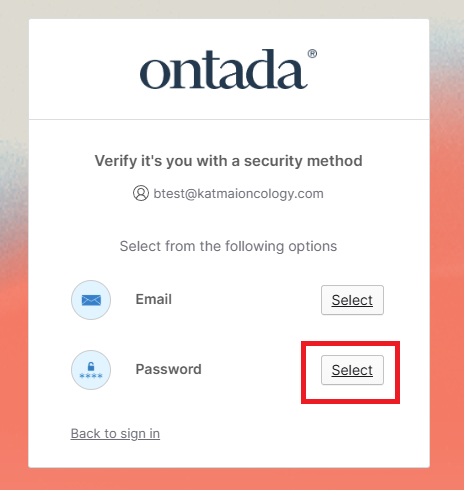
Click "Select" next to password to enter your password.
-
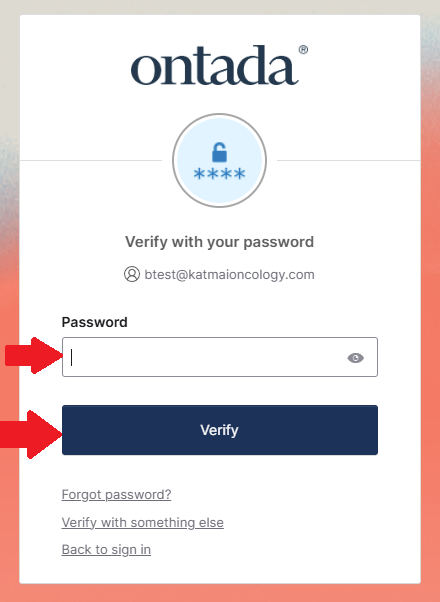
Enter your password and click "Verify".
-
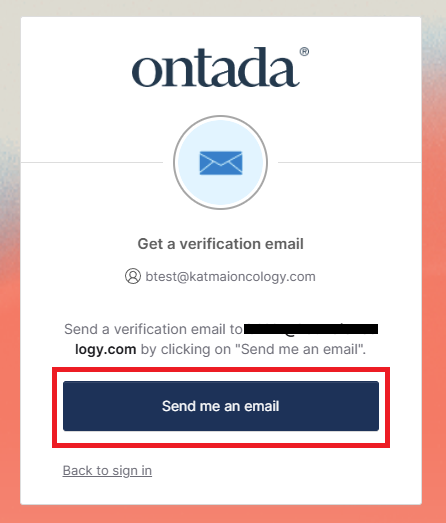
Click "Send me an email" to receive email with MFA code.
-
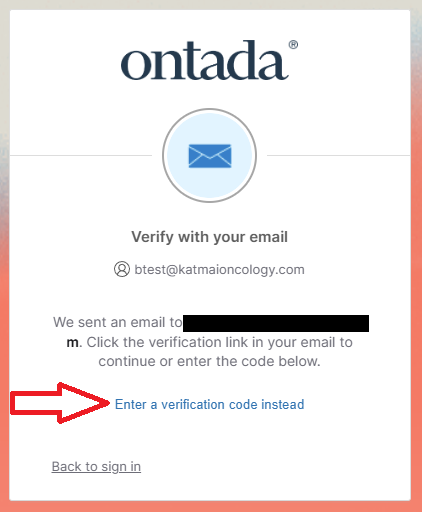
Click "Enter a verification code instead".
-
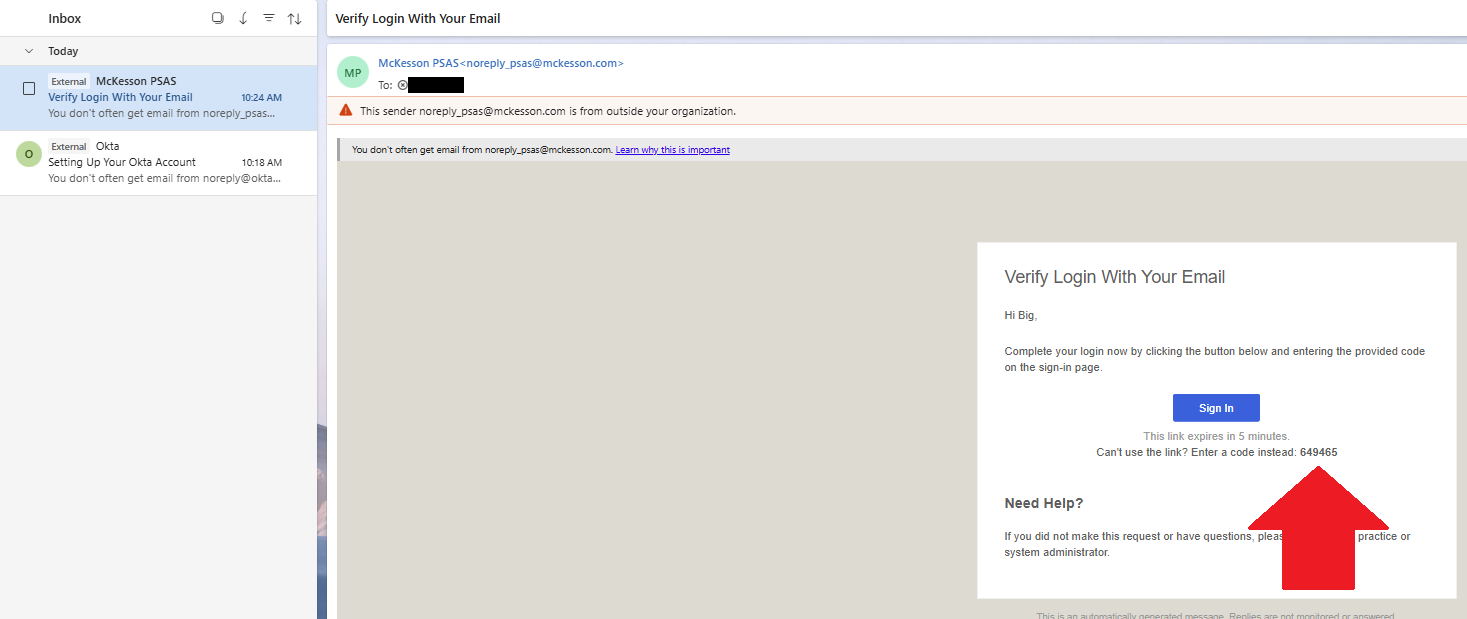
- Copy the MFA code from the MFA email from noreply_psas@mckesson.com. NOTE: do NOT use the "Sign in" button in email as this may result in not being able to log in.
- Copy the MFA code from the MFA email from noreply_psas@mckesson.com. NOTE: do NOT use the "Sign in" button in email as this may result in not being able to log in.