IKnowMed Password
How To Change Password
-
Log into IKnowMed with your current username and password.
-
Click on the Gear icon in the upper right corner.

- Click on the User Details tab. Click Reset Password button.
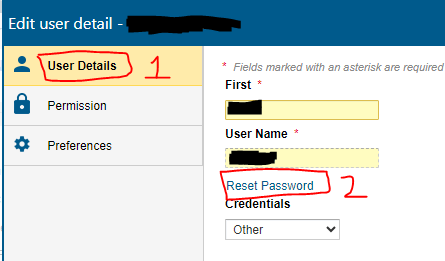
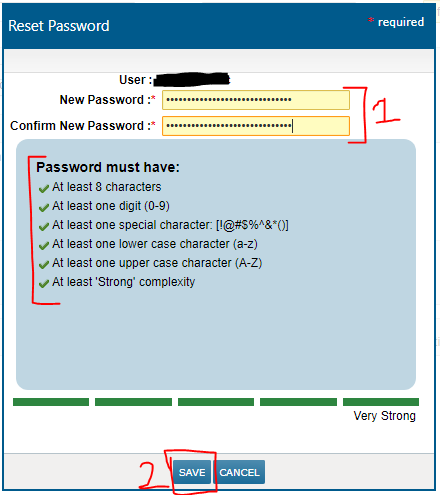
- Enter the new password, ensure it complies with the password requirements below the new password boxes. A green checkmark will be displayed next to every line when the new password is compliant. Click the SAVE button. Your new password has been set
How To Reset Password
If you are unable to login due to unrecognized password and have not locked out your account, follow the instructions below.
1. Click the Forgot password? button.
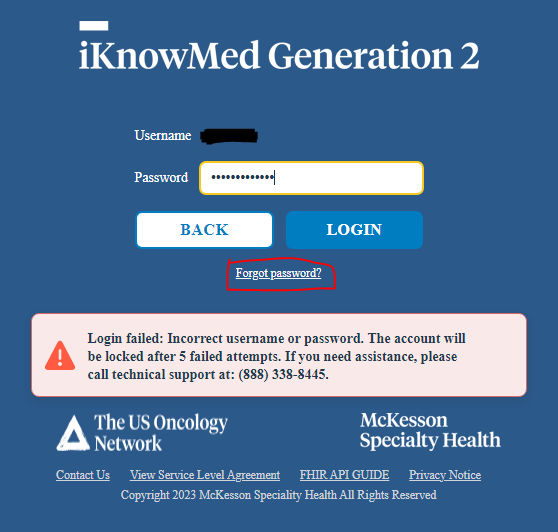
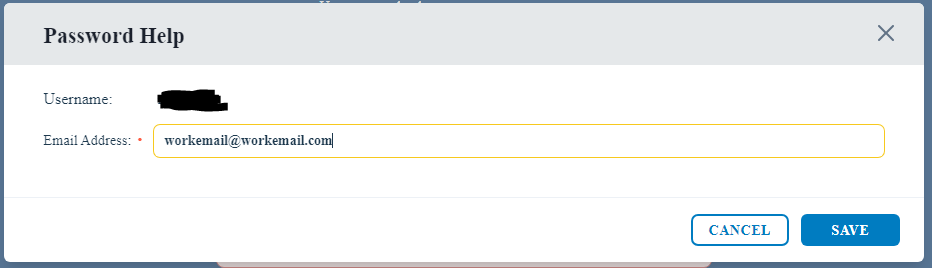
2. Enter your Katmai email address and click SAVE. This will send a temporary password to your Katmai email.
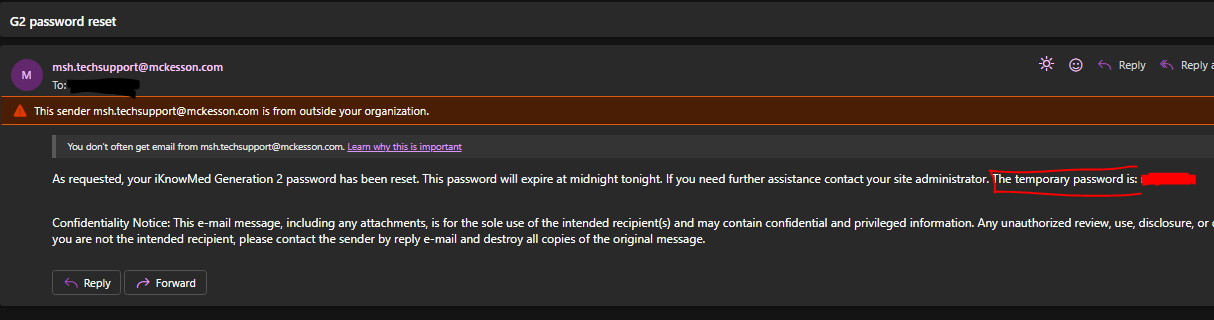
3. Find the password reset email with the subject G2 password reset and copy the temporary password.
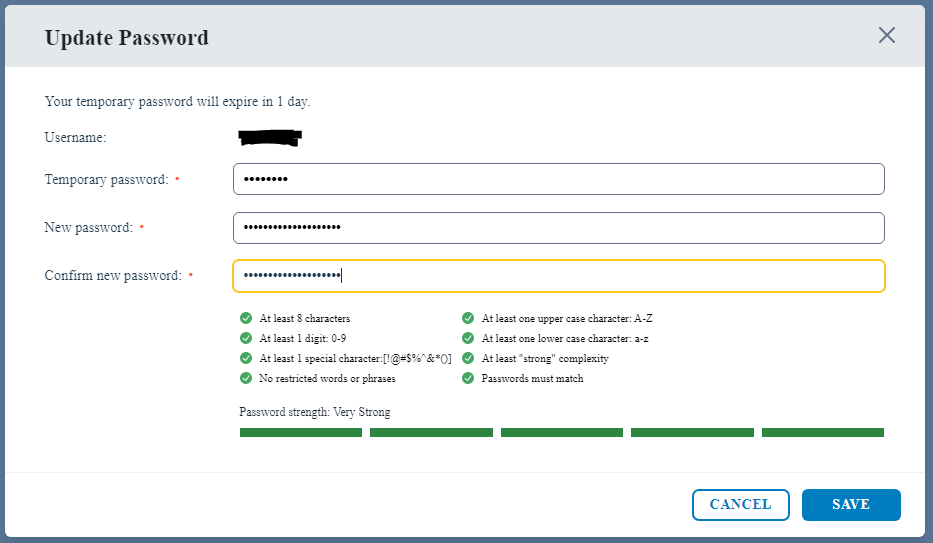
4. Log in with the temporary password. A prompt will appear to update your password. Enter the temporary password again and enter your new desired password. Ensure the password complies with the requirements below the new password boxes. Click SAVE